

About this postCo-edited with Claude (Anthropic).
TL;DR
- iOS’s in-app AI story used to be “Apple’s model or nothing.” In 2026 it pivots to an abstraction layer built around a new
LanguageModelprotocol, with multiple swappable backings underneath.- You write code against
LanguageModelSessiononce, then swap System / Private Cloud Compute / Claude / Gemini / Core AI / MLX with a single line.- Claude and Gemini are first-class via official Swift packages. Gemini ships through the Firebase Apple SDK; auth is OAuth + Keychain — never bake API keys into the binary.
- Image input,
OCRTool,BarcodeReaderTool, and a Spotlight RAG tool are built in. Core AI lets you run arbitrary OSS models (Qwen, Mistral, SAM3 …) on device.- A Python SDK and the
fm chatCLI bring the same model outside Swift, and the framework now runs on Linux too.- Dynamic Profiles let one session swap instructions, tools, and the model itself across
.light/.moderate/.deepreasoning levels — history preserved.- On-device is $0. The Small Business Program (<2M MAU) gets PCC at no cloud API cost. Context grows to 4096→8192 on newer devices and 32768 on PCC.
Intro
A year ago at WWDC 2025, iOS’s in-app AI story was binary: use Apple’s on-device 3B model, or wire up a third-party API yourself. At WWDC 2026 that story fundamentally shifts.
The framework name is the same — Foundation Models — but the internals are close to a rewrite. The core message: the model has become a swappable part.
This post runs in two layers.
- Main: a technical recap of what changed in Foundation Models at WWDC 2026.
- Meta (in the back half): a short making-of for the eleven slides embedded here, which were built with Claude Design.
API symbols and technical claims were cross-checked against the official WWDC26 sessions^1 ^2 ^3 ^4. Everything below reflects beta-era information, so confirm against the official docs before you ship.
A new LanguageModel protocol is the spine
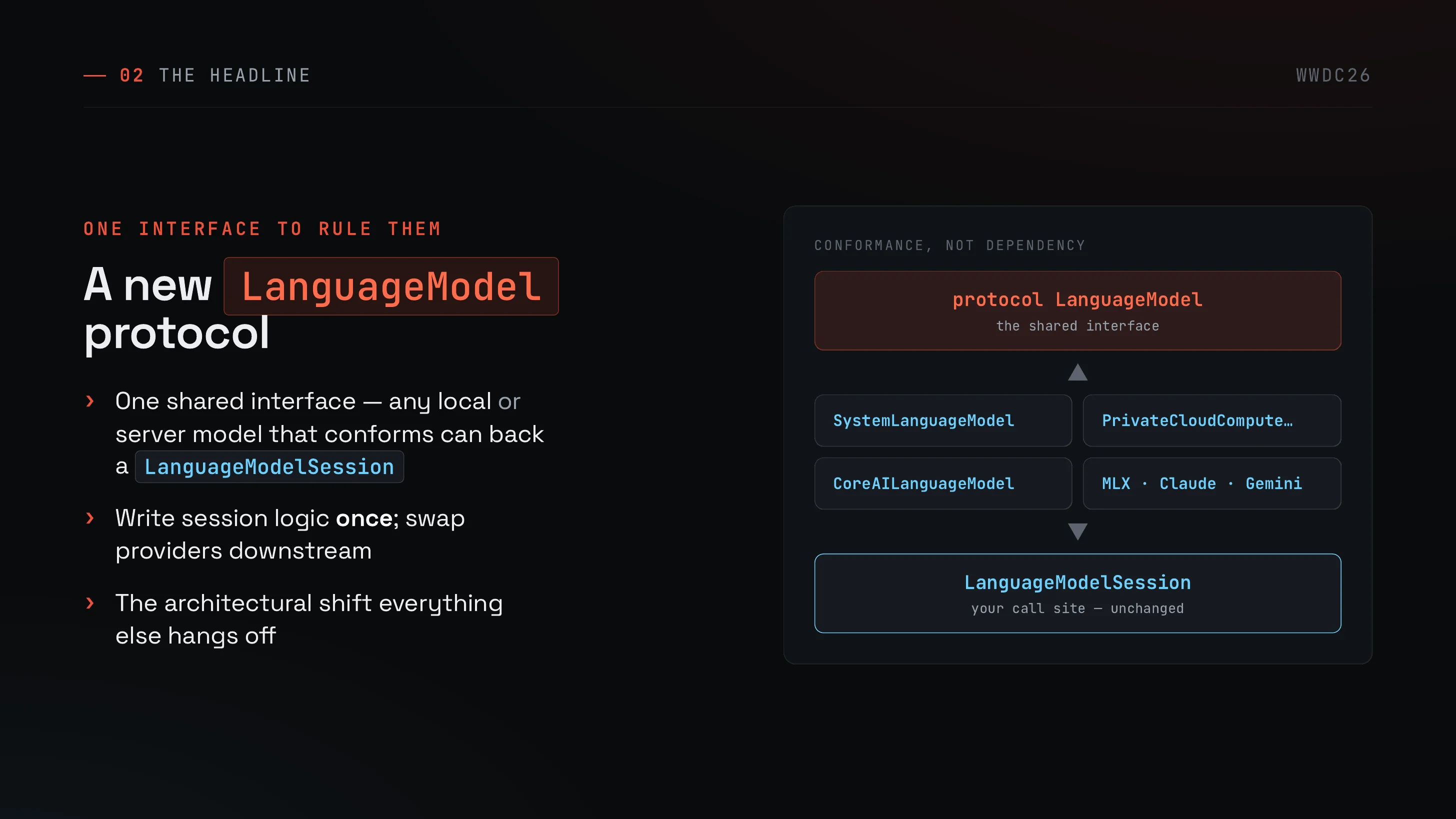
Everything else hangs off this one piece. Apple introduced a Swift protocol called LanguageModel; any model that conforms can back a LanguageModelSession^1 ^2.
In other words, you write your session logic once, and swap the underlying backing later. The deck’s tagline — conformance, not dependency — points exactly here.
Show me the code — one line change
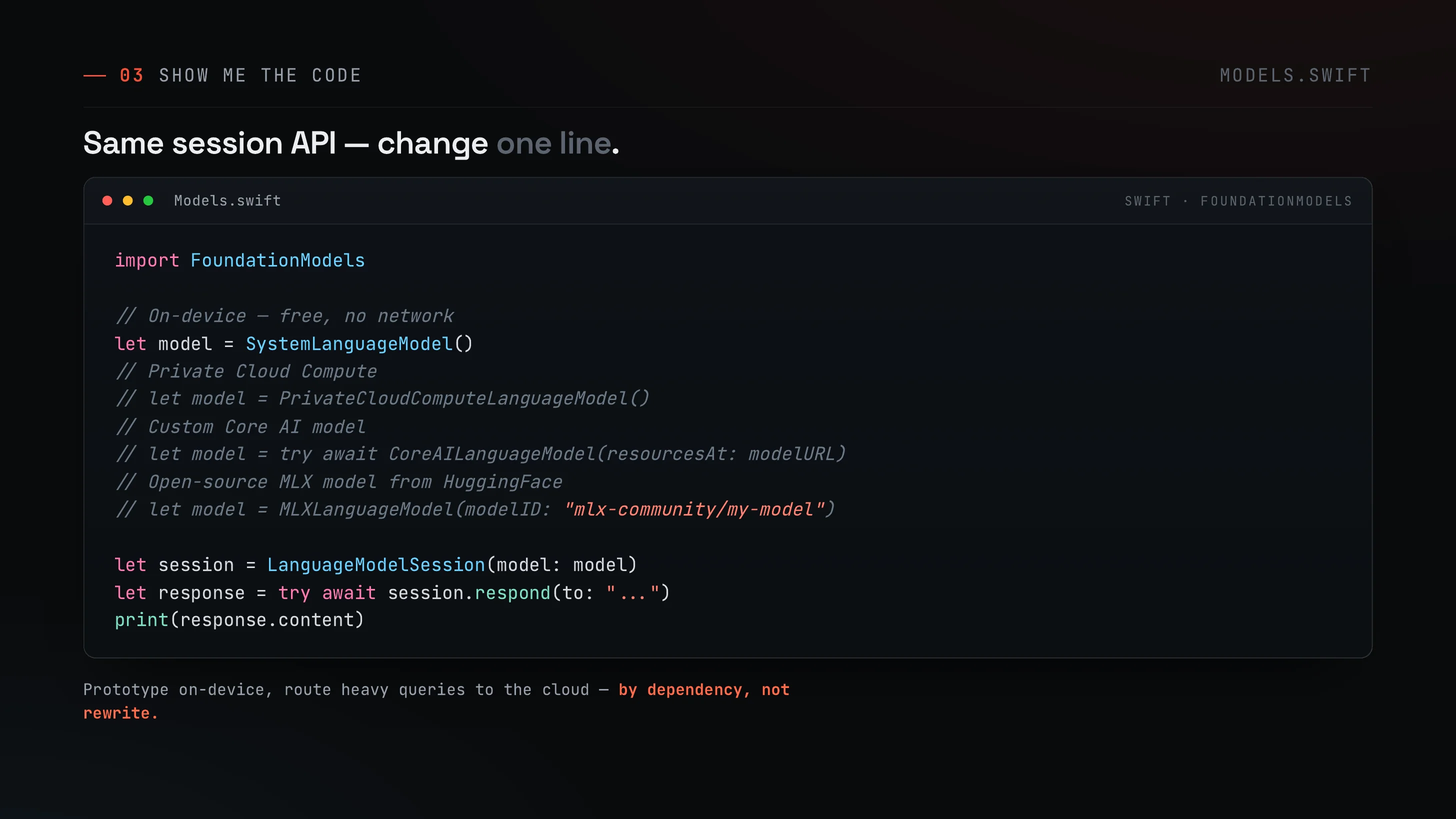
The session setup stays the same. The only line that changes is how you construct the model.
import FoundationModels
// On-device — free, no networklet model = SystemLanguageModel()// Private Cloud Compute// let model = PrivateCloudComputeLanguageModel()// Custom Core AI model// let model = try await CoreAILanguageModel(resourcesAt: modelURL)// Open-source MLX model (HuggingFace)// let model = MLXLanguageModel(modelID: "mlx-community/my-model")
let session = LanguageModelSession(model: model)let response = try await session.respond(to: "...")print(response.content)Prototype on-device, route heavy queries to the cloud — by dependency, not rewrite. That’s the point of this whole API surface.
Third-party frontier models (Claude / Gemini)
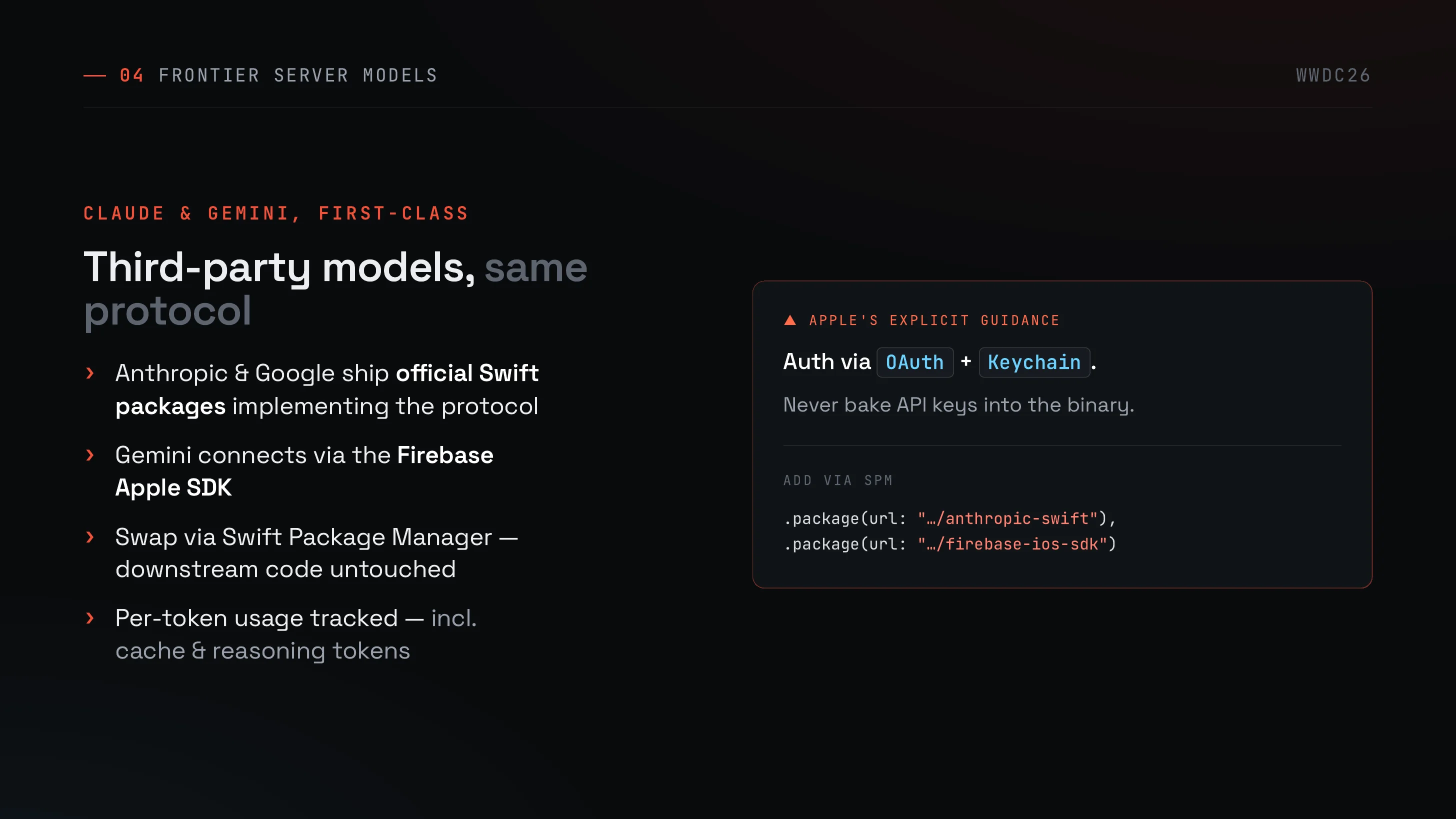
Claude and Gemini ship official Swift packages that implement the protocol^3. Gemini connects via the Firebase Apple SDK.
Apple is explicit on the security side:
- Auth via OAuth + Keychain
- Never bake API keys into the binary
You add them through Swift Package Manager, so downstream code stays untouched. Per-token usage — including cache and reasoning tokens — is tracked by the API layer.
Recap so far — 2025 → 2026
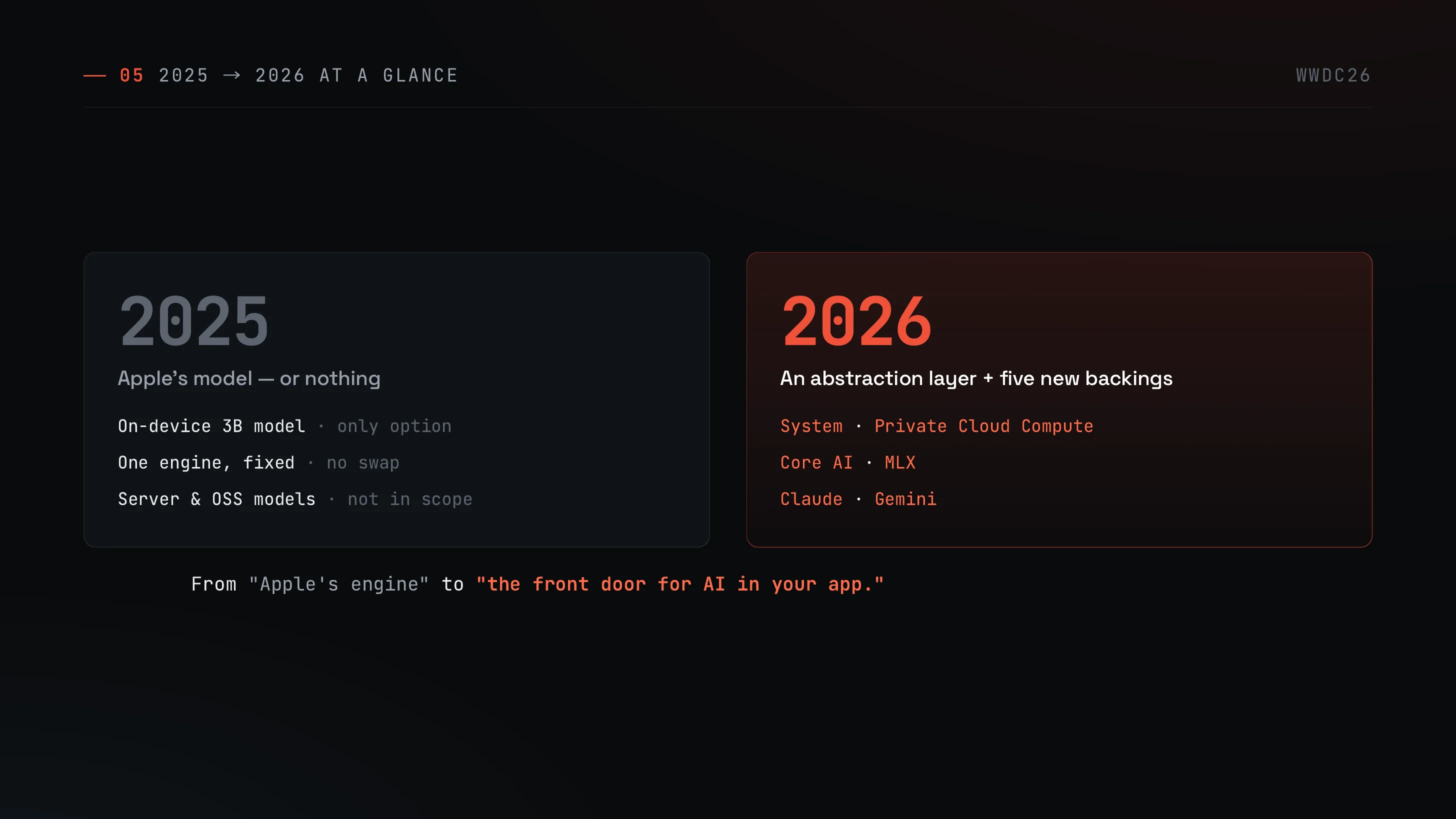
Quick pause to zoom out.
In 2025, Foundation Models meant “Apple’s on-device 3B model, or nothing.” Server models and OSS models were out of scope, and the engine was fixed.
In 2026 the framework with the same name is redesigned as an abstraction layer, with multiple backings — System (on-device), Private Cloud Compute (PCC), Core AI (arbitrary OSS), MLX, Claude, Gemini — hanging off it as swappable pieces. The slide puts it nicely: what used to be Apple’s engine is now the front door for AI in your app.
Multimodal & built-in tools
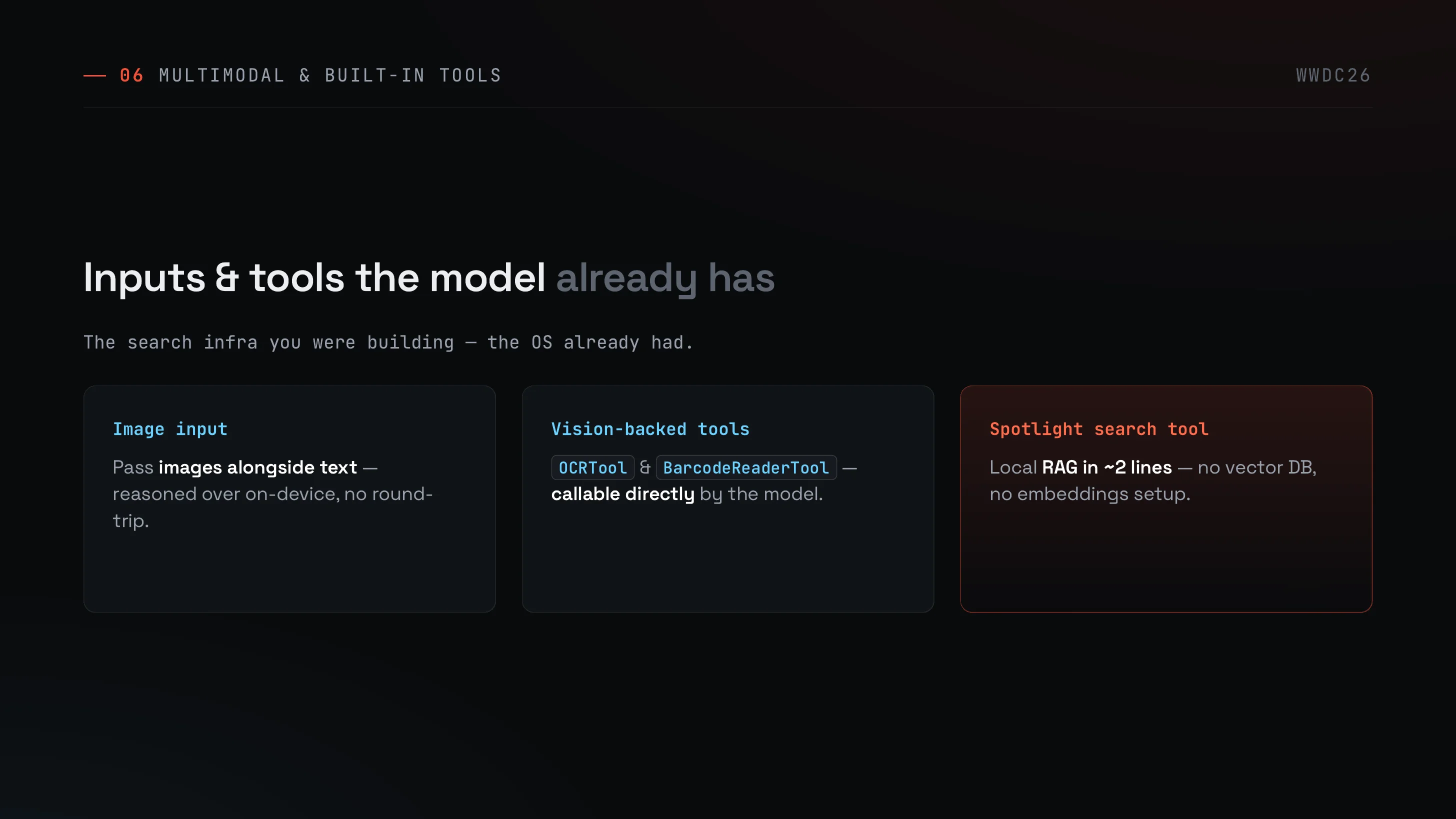
The input side expands meaningfully.
- Image input: pass images alongside text. Reasoning happens on-device, no network round-trip.
- Vision-backed tools:
OCRToolandBarcodeReaderToolare callable directly by the model. - Spotlight search tool: local RAG in roughly two lines. No vector DB, no embeddings setup.
If you were planning to build search infrastructure for your app, the OS already had it.
Core AI — any open model, on device
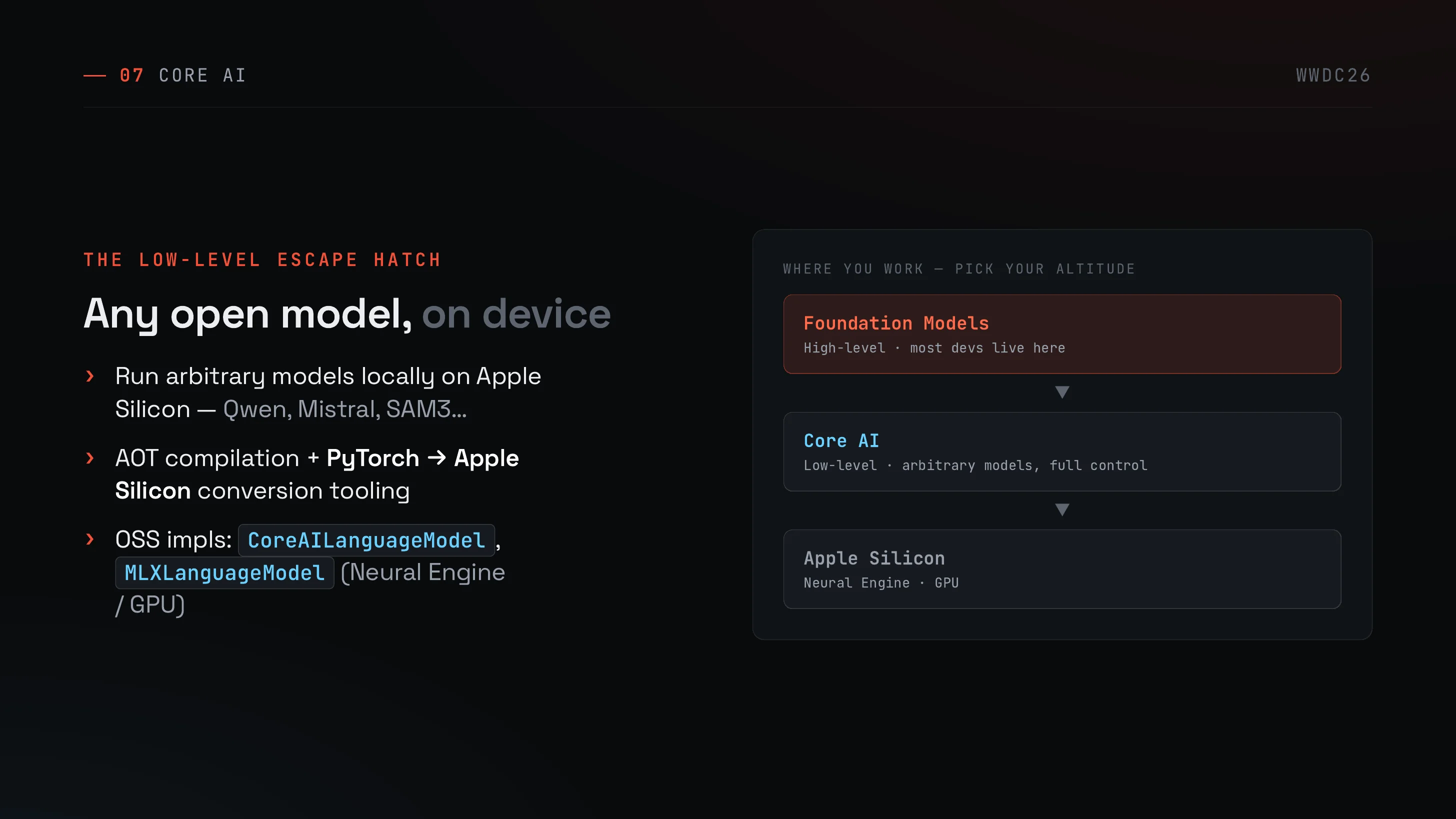
If Foundation Models is the high-level door most developers will live behind, Core AI is the low-level escape hatch. You can run arbitrary open models (Qwen, Mistral, SAM3 …) locally on Apple Silicon.
It ships AOT compilation plus PyTorch → Apple Silicon conversion tooling, and reference OSS implementations as CoreAILanguageModel and MLXLanguageModel (Neural Engine / GPU).
The altitude picture:
| Layer | What it gives you |
|---|---|
| Foundation Models | High-level — most devs live here |
| Core AI | Low-level — arbitrary models, full control |
| Apple Silicon | Neural Engine / GPU |
Python SDK / fm chat / Linux
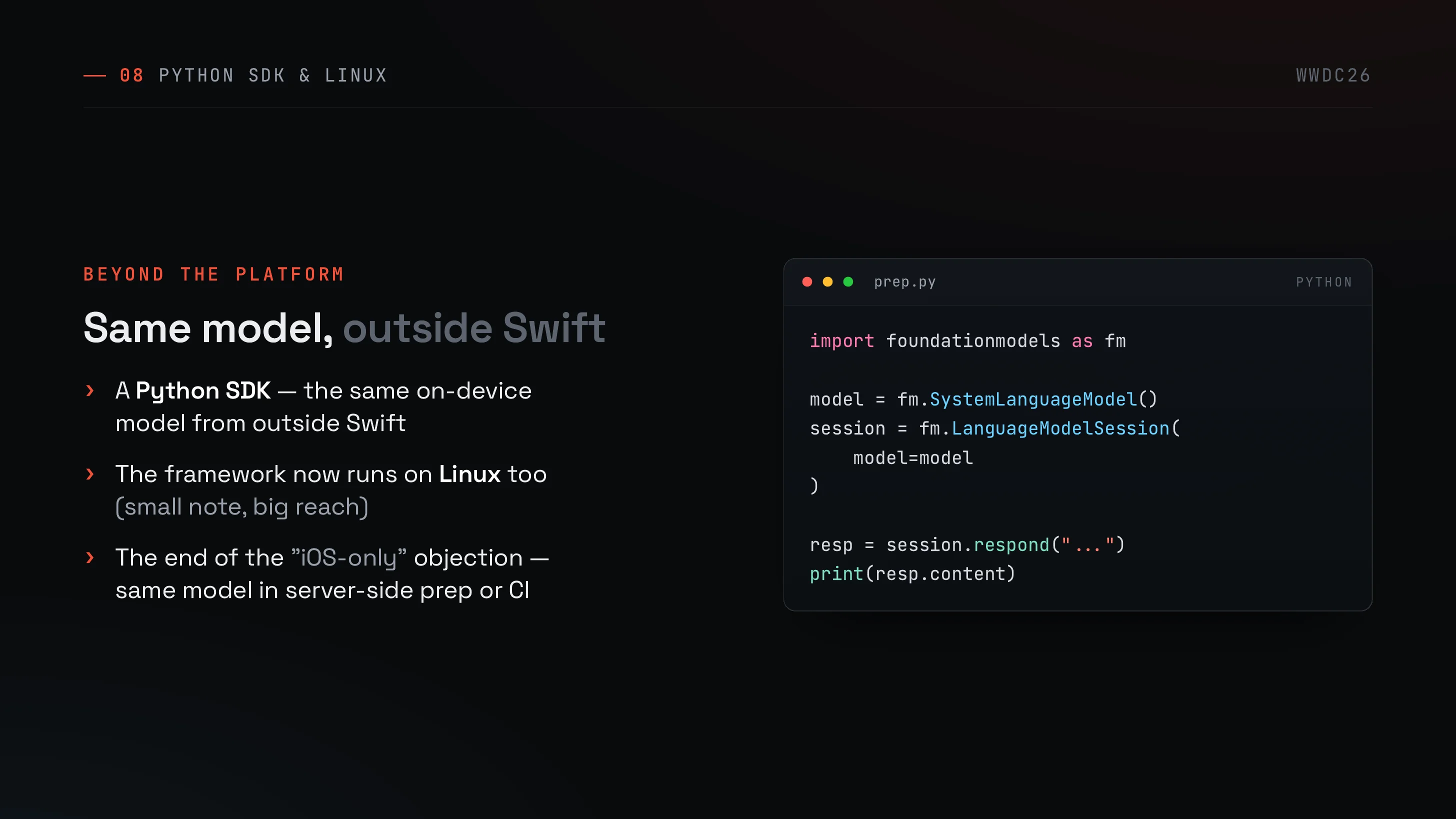
This is the part I personally found most surprising.
- A Python SDK is shipping, so you can hit the same on-device model from outside Swift.
- macOS 27 preinstalls an
fm chatCLI^4 — talk to the on-device model straight from a terminal. - The framework runs on Linux too (small note, big reach).
That kills one of the standard objections — “the framework is iOS-only, so I can’t use it in server prep or CI.” Same model, different surface.
import foundationmodels as fm
model = fm.SystemLanguageModel()session = fm.LanguageModelSession( model=model)
resp = session.respond("...")print(resp.content)Dynamic Profiles — modes within one session
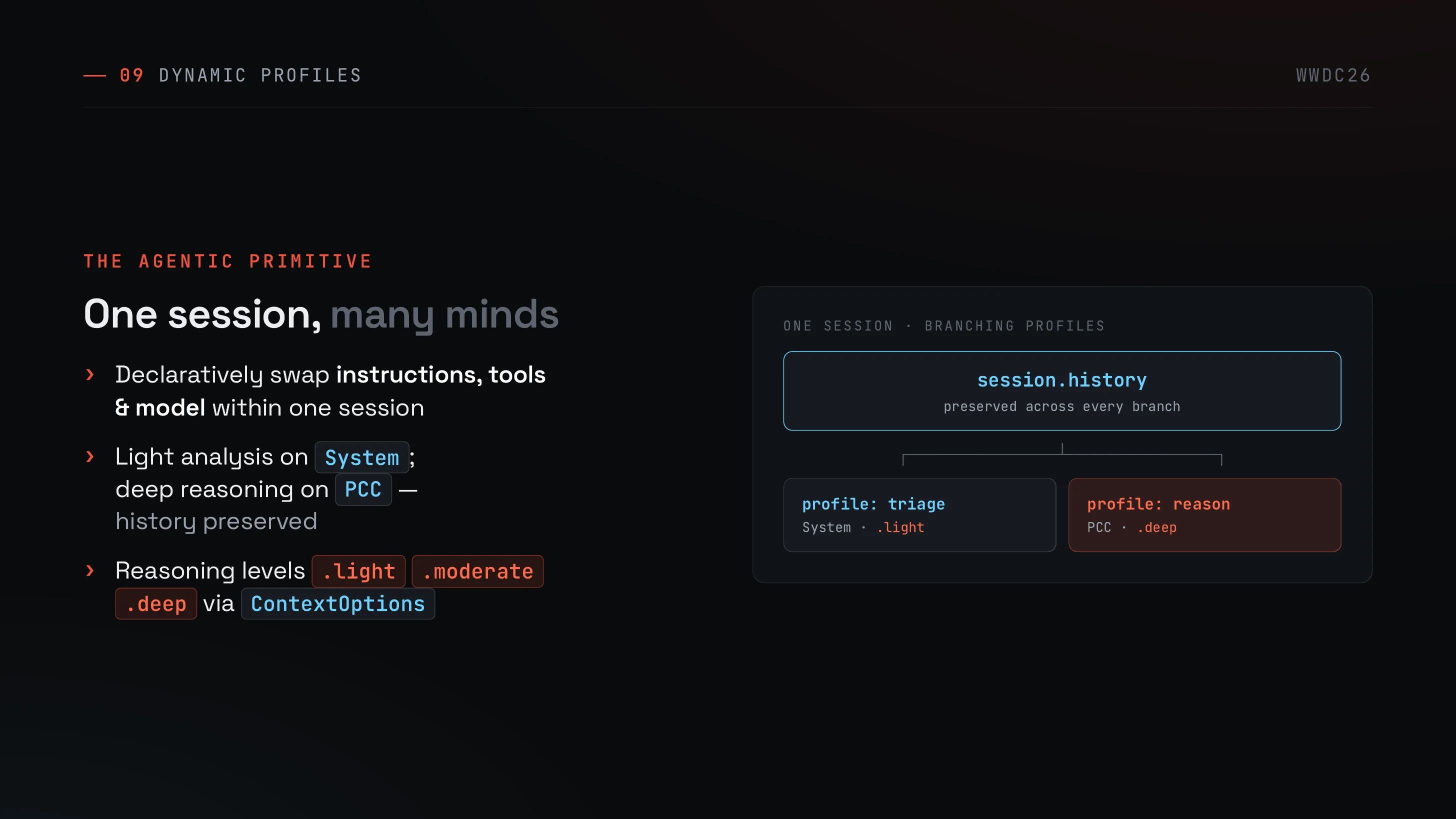
The agentic primitive of the release is Dynamic Profiles. Within a single session history, you declaratively swap instructions, tools, and the model itself^2.
For example, light triage on System with .light, and deep reasoning on PCC with .deep — session.history carries across both branches. Reasoning levels come from ContextOptions(reasoningLevel:) with .light / .moderate / .deep.
A small note: the profile: triage / profile: reason labels in the slide are illustrative, not Apple’s official sample names. Don’t go grepping the docs for them.
Cost structure
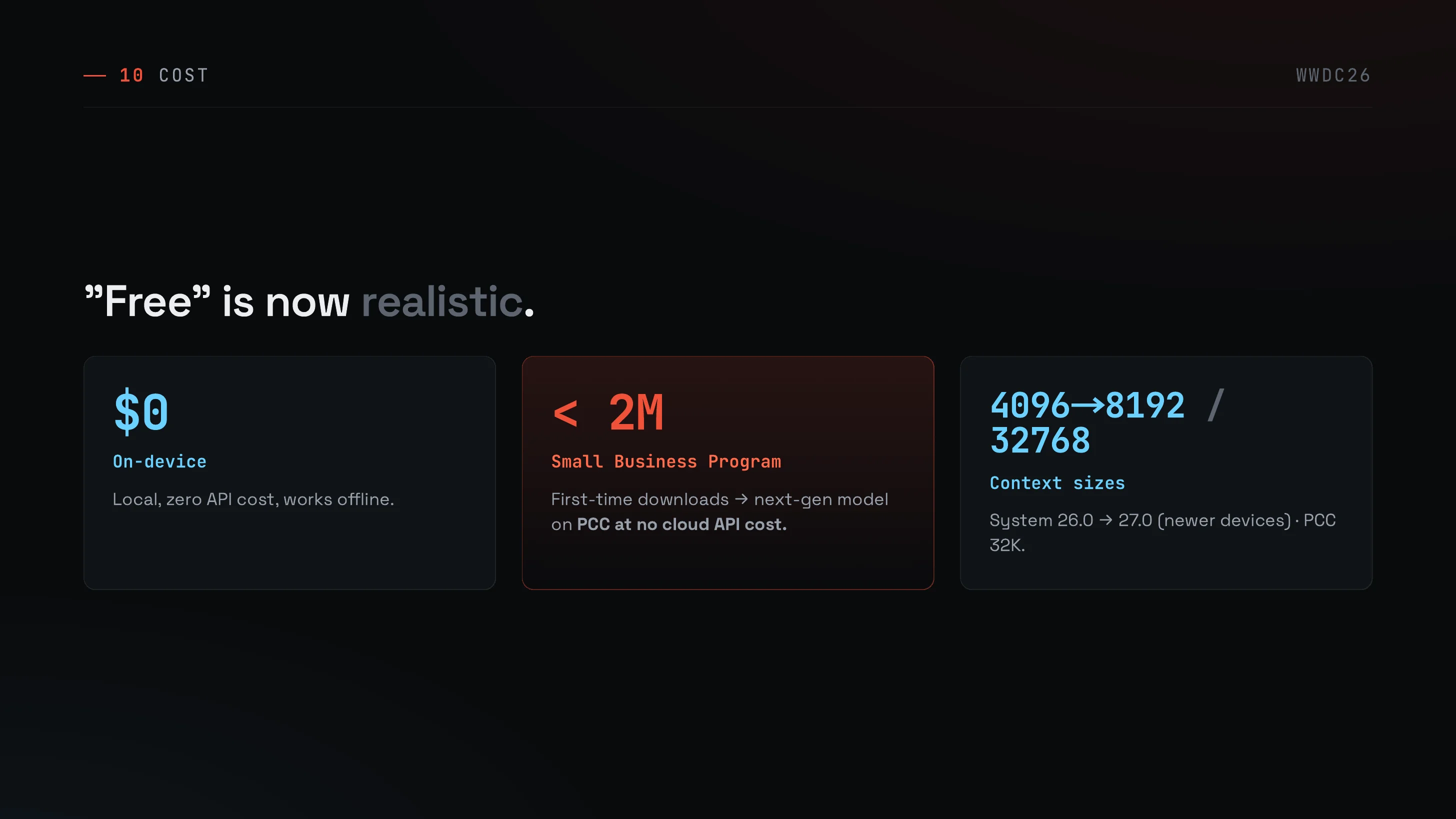
Finally, cost.
- On-device: $0, no network needed.
- Small Business Program: under 2M monthly active users, first-time downloads of the next-gen model land on PCC at no cloud API cost^2.
- Context sizes:
Systemgrows from 4096 → 8192 on newer macOS / iOS 27 devices; PCC goes up to 32768.
“Build on-device, route only what truly needs it to PCC / Claude / Gemini” is now a strategy that works on the cost side too, not just the architecture side.
About the slides — built with Claude Design
A short making-of. The eleven slides in this post were generated from scratch with Claude Design.
The flow
- Lock the brief (reader, core message, one message per slide) using Claude Code.
- Hand it to Claude Design and have it design the deck.
- Export to PDF.
- Convert PDF → PNG → WebP on the Mac side.
What worked
- One message per slide forced me to narrow down. Prose tends to blur “what’s new”; structure makes it sharp.
- Contrast layouts (2025 ↔ 2026, High ↔ Low, profile branching) are hard to do in pure Markdown. Slides handle them well.
What to watch
- Image export isn’t directly available; you always go through PDF.
- Fact-checking the output is non-negotiable. As one concrete example, Claude Design slipped in
xcode-select --beta 27— a command that does not exist — and I had to remove it in the verify pass. For a technical post you can’t skip the generate → cross-check against official docs / session videos → fix loop.
The order that paid off in quality: research and write the brief first, then hand it to Design. Starting from design gives you polish but a wobbly core.
Wrap-up — the model is now a swappable part
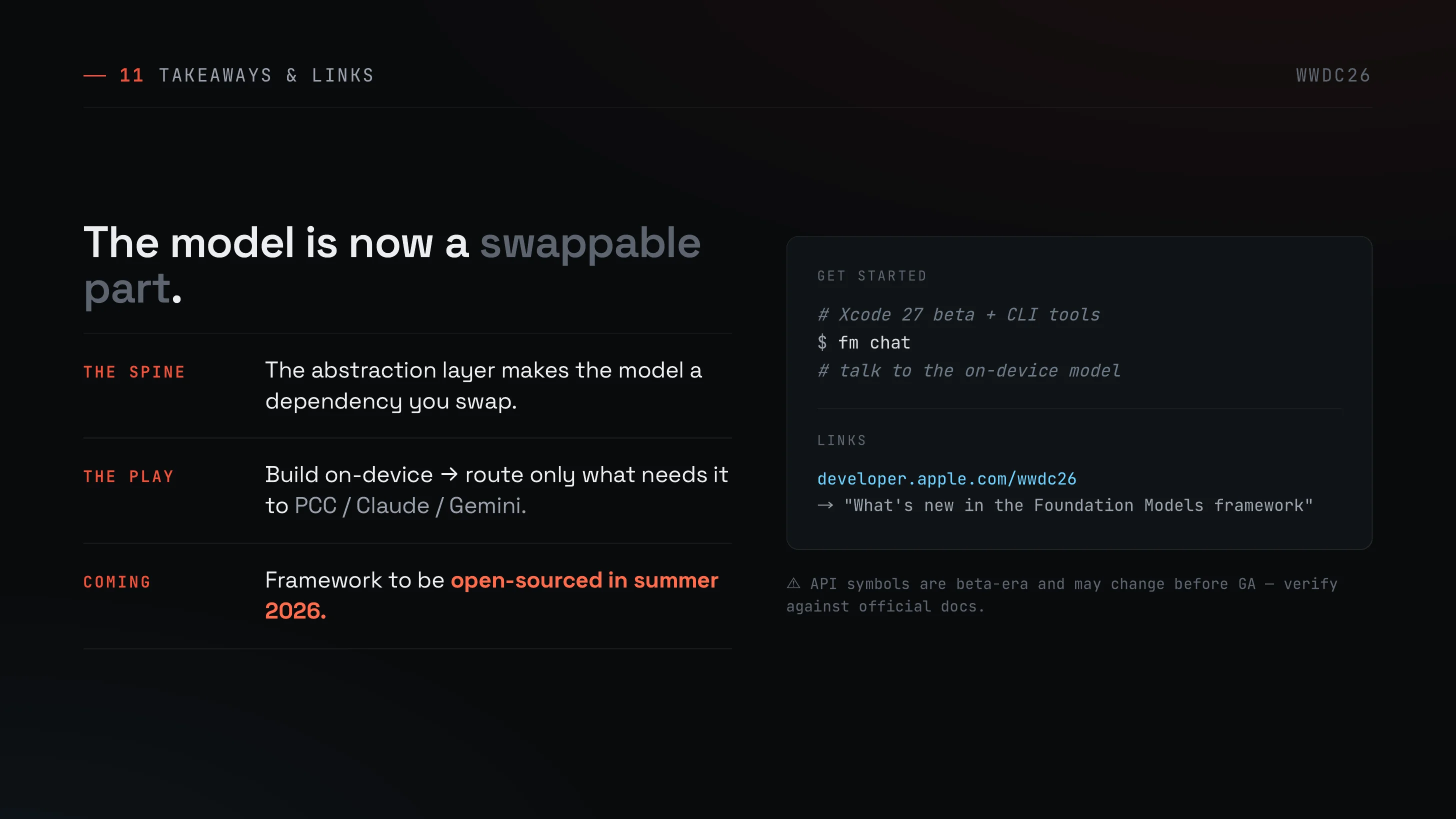
Compressing the deck to three lines:
- The spine: the abstraction layer makes the model a dependency you swap.
- The play: build on-device, route only what needs it to PCC / Claude / Gemini.
- Coming: the framework is set to be open-sourced in summer 2026.
A good way to start is to just fm chat and talk to the on-device model.
# Xcode 27 beta + CLI tools$ fm chat# talk to the on-device modelOfficial resources start at developer.apple.com/wwdc26 — look for “What’s new in the Foundation Models framework” and follow the linked sessions. API symbols here are beta-era and may change before GA, so verify against the official docs before you build.
References
- WWDC26 Session 241 — Foundation Models framework overview https://developer.apple.com/wwdc26
- WWDC26 Session 319 — LanguageModelSession / Dynamic Profiles / ContextOptions https://developer.apple.com/wwdc26
- WWDC26 Session 339 — Third-party model integrations (Claude / Gemini) https://developer.apple.com/wwdc26
- WWDC26 Session 334 — Foundation Models CLI (
fm chat) and Python SDK https://developer.apple.com/wwdc26